██████╗ ██████╗ █████╗ ██╗ ██╗██╗███████╗██╔══██╗██╔══██╗██╔══██╗╚██╗██╔╝██║██╔════╝██████╔╝██████╔╝███████║ ╚███╔╝ ██║███████╗██╔═══╝ ██╔══██╗██╔══██║ ██╔██╗ ██║╚════██║██║ ██║ ██║██║ ██║██╔╝ ██╗██║███████║╚═╝ ╚═╝ ╚═╝╚═╝ ╚═╝╚═╝ ╚═╝╚═╝╚══════╝
Semantic Command & Control Framework
Experimental research platform for discovering, orchestrating, and controlling computer-use agents across remote systems. Built for security research and red team operations.
curl -fsSL https://praxis.originhq.com/install.sh | bashCapabilities
Full Spectrum Agent Control
Coding assistants and computer-use agents can read files, execute commands, and interact with a whole range of tools. Praxis explores what's possible when you have access to systems running these agents, not by exploiting vulnerabilities, but by using existing access to observe and repurpose their capabilities.
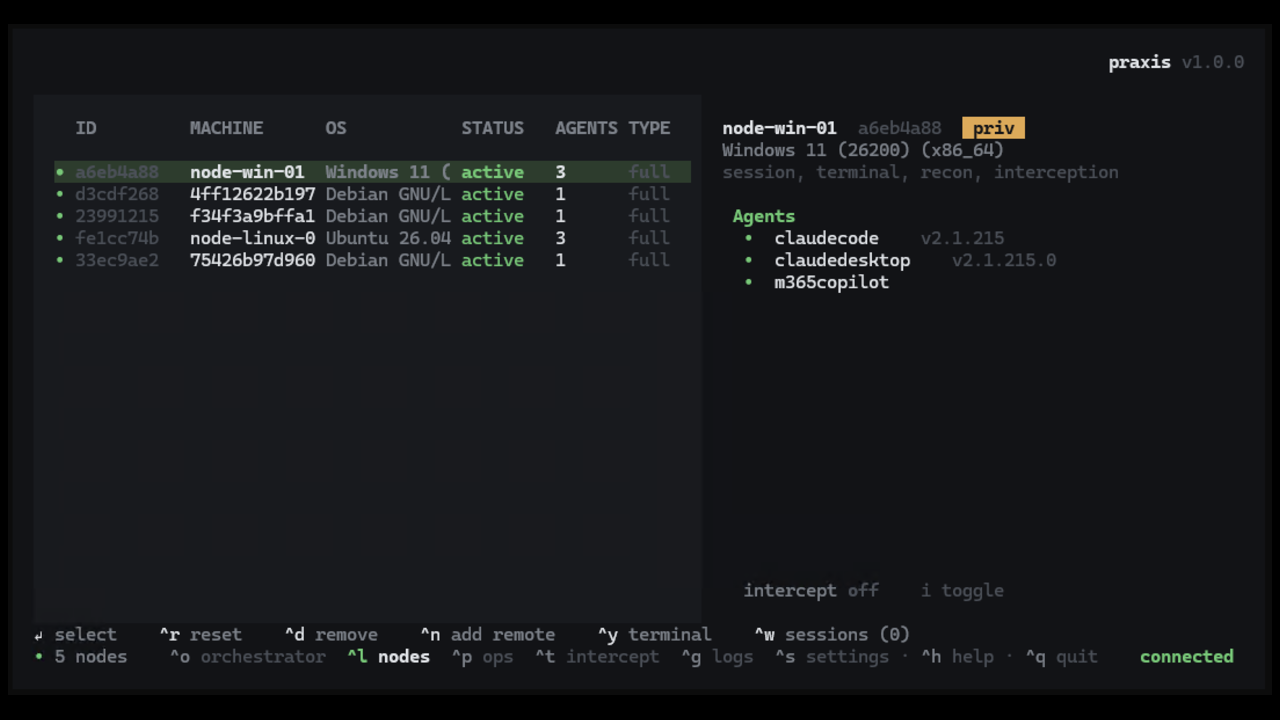
Fingerprint and detect AI agents on endpoints. Automatically identify agent types, versions, and installed configurations across your target systems.
Installation
Deploy PRAXIS
Runs an interactive installer. Choose a native service on Linux, a Docker service on Linux/macOS/Windows, or client-only mode. The praxis CLI/TUI is always installed natively.
01Install
curl -fsSL https://praxis.originhq.com/install.sh | bashCopyirm https://praxis.originhq.com/install.ps1 | iexCopy02Service Modes
The service is Linux-only natively. Windows and macOS run it in Docker; Linux can use either native systemd or Docker.
Native
Linux only. Installs the service as a systemd unit and manages it with praxisctl. Requires RabbitMQ to be installed and running.
Installs binaries under /usr/local/bin, nodes under /usr/local/share/praxis/nodes/, config under /etc/praxis/env, and data under /var/lib/praxis.
Docker
Works on Linux, macOS, and Windows. Required on macOS/Windows since the service is Linux-only.
Clones the repo to ~/.praxis-docker and starts a praxis + rabbitmq Compose stack.
The praxis TUI is always installed natively. It connects to the service over RabbitMQ regardless of mode.
03Non-interactive Flags
Skip the menu with --service native, --service docker, or --cli. The service and CLI flags can be combined.
Linux / macOS
curl -fsSL https://praxis.originhq.com/install.sh | bash -s -- [flags]Copy--service native --cli# native + TUI (Linux)--service docker --cli# docker + TUI--cli# TUI only--service native --with-win-node# Linux service + Windows nodeWindows
iex "& { $(irm https://praxis.originhq.com/install.ps1) } [flags]"Copy-Service docker -Cli# docker + TUI-Cli# TUI only04Launch TUI
Configure the CLI connection, then manage nodes, agents, sessions, and operations from the TUI:
praxis set-rabbitmqurl amqp://praxis:praxis@localhost:5672CopypraxisCopypraxis --statusCopy05Manage Service
Native (Linux)
praxisctl statusCopypraxisctl startCopypraxisctl enableCopypraxisctl set-rabbitmqurl amqp://praxis:praxis@localhost:5672CopyDocker
docker compose -f ~/.praxis-docker/compose.yaml logs -fCopydocker compose -f ~/.praxis-docker/compose.yaml downCopydocker compose -f ~/.praxis-docker/compose.yaml up -dCopy06Deploy Nodes
Nodes are standalone binaries. Copy the right version-matched binary to each target system and point it at your RabbitMQ.
praxis_node_linux# Linux x86_64praxis_node_windows.exe# Windows x86_64Grab them from /usr/local/share/praxis/nodes/ (native), docker compose cp praxis:/usr/local/share/praxis/nodes ./nodes (docker), or GitHub releases.
PRAXIS_RABBITMQ_URL=amqp://praxis:praxis@host:5672 ./praxis_node_linuxCopy$env:PRAXIS_RABBITMQ_URL="amqp://praxis:praxis@host:5672"; .\praxis_node_windows.exeCopyHighly recommended: Read through the documentation to complete setup.
Additional configuration is required in the TUI.